
Google Chrome is a web browser that allows a user to do more than just browse websites. Today I’m giving you three tips and tricks for utilizing Google Chrome to the best of its capabilities and keep things organized.
Category Archives: Ed Tech
5 Tips & Tricks for Staying Organized in Gmail
If you’re like me, you are constantly bombarded with emails daily, and often those small things you need to do get lost in the slush. So we’re going to take a look at a few features that you can use Gmail for to help you keep up with everything you need to do.
Google Keep – A Better Way to Keep Notes
ogle Keep has quickly become one of my favorite tools in the Google toolbox. The app has expanded its capabilities and now has a lot of great things that it can do. Here are some of the best features about Google Keep that will help you stay organized with information.
Creating a Branching Quiz in Google Forms to Increase Student Learning

Google Forms is a versatile tool that can do a lot of things. One of the most helpful things it can do is help differentiate student learning through something called branching.
App Spotlight: Edji for Collaborative Reading

I’m a high school English teacher, so I’m always looking for ways to help my students develop their reading skills. With the push for STEM 4 Cs, I’ve had a difficult time figuring out how I can make reading (which is a very individual skill) into a more collaborative one. That’s where Edji comes in.
Google Classroom Has Rubrics Now! (Video)

I can’t express in words how happy I am that it’s finally here. Google has added rubrics to Classroom assignments, and I couldn’t be happier.
20+ of My Favorite Google Chrome Extensions

Google Chrome is a wonderful web browser that does a lot. While it is easy to use, Chrome’s power really lies in the extensions you can add to the browser.
App Spotlight: iorad (video)
When I’m trying to teach my students how to use any kind of ed tech, I inevitably have to put together some kind of tutorial to walk them through the process. I spent a lot of time taking screenshots, typing instructions, and organizing it into an easy-to-follow tutorial. It took a long time.
Using Custom Paragraph Styles in Google Docs (video)
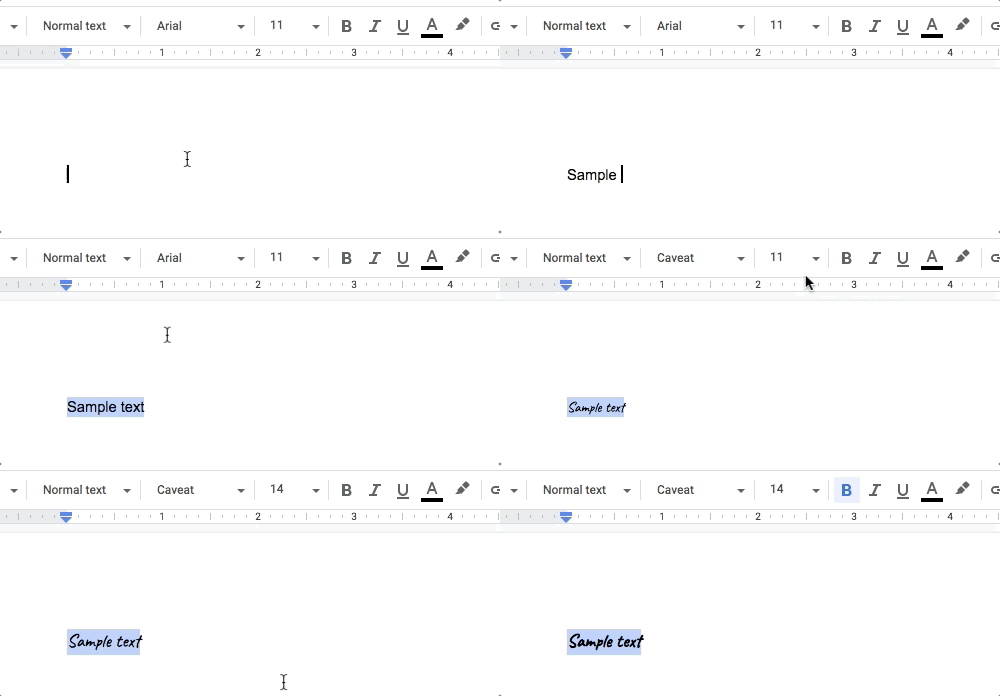
Setting up customized paragraph styles in Google Docs is a simple process.
3 Steps to Add a Table of Contents in Docs (Video)

If you’ve ever created any kind of lengthy Google Doc, then you know how annoying it can be to try to scroll through a long document to find a specific page. Google Docs will create a table of contents for you in just a few simple steps.
 The Educator's Quest