Google Forms is a great app that you can use to gather information from students, parents, and colleagues. Forms has several different types of questions that are useful in many ways. Here are a few ways you can use each type of question in Forms.
Category Archives: Ed Tech
5 Tips for Using Google Forms Quizzes
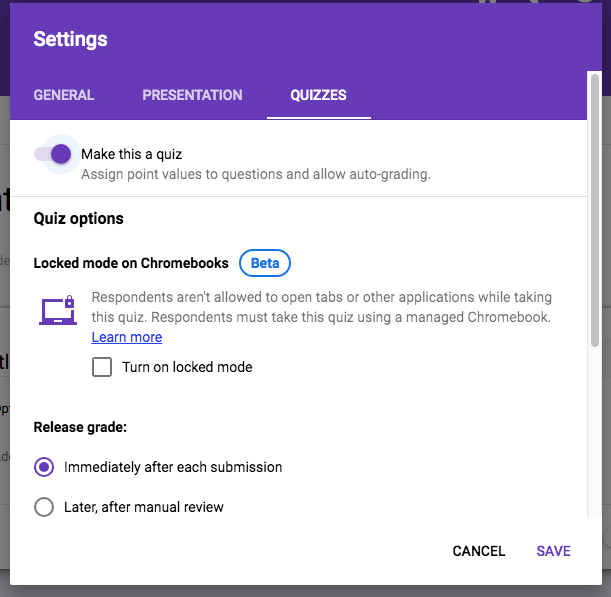
Google Forms can give you a lot of versatility when it comes to quizzes in class.
Using Appointment Slots in Google Calendar (Video)

Here’s a nifty little thing in Google Calendar that many people may not know about. They’re called appointment slots, and they can be incredibly useful and simple to set up.
5 Ways to Use Google Forms in Your Classroom
This year, I’ve learned a lot of different ways to use Google Forms and Sheets to save myself time and trouble.
PeerGrade Tutorial: Creating Assignments
If you’ve created your classes in PeerGrade, then you’re ready to create assignments. Assignments are easy to create, but there are a few different options you have as you go. This is another simple 3-step process. Create the Assignment After selecting the class you want to assign peer feedback to, you’ll click the blue “CreateContinue reading “PeerGrade Tutorial: Creating Assignments”
PeerGrade Tutorial: Setting up a Class
Trying to create a class in PeerGrade? It’s a simple 3-step process.
Mentimeter: Another Way to Get Student Feedback
There are a lot of options out there to get instant student feedback. Mentimeter.com is a new one that I’ve recently come across. Mentimeter is an online presentation tool that allows you to get immediate feedback from students.
PeerGrade: Your New Way to Do Peer Revisions
PeerGrade is an online peer revision tool. Here are my thoughts on it.
 The Educator's Quest